Start on your own or from a funder invitation — the flow is the same either way.
1
Add your grant
Upload your application and agreement — or accept a funder invite.
2
Quittal reads them
Budget, milestones and commitments extracted automatically.
3
Evidence collected
Drop invoices — vendor, GST, total extracted.
4
Spend reconciled
Proof of payment matched against every claimed line.
5
Acquittal generated
Formatted to your funder's template, whether or not they use Quittal.
6
Grant closed
Sign-off, audit pack exported, records retained.
Proof of payment
Prove the money actually moved
Upload a bank transfer or ABA batch once and allocate it across every invoice it settles. Quittal matches on amount and date, flags partial payments and shows exactly how much of your claimed spend is proven.
One payment can settle many invoices
Partial allocations surface in amber, not false green
Ambiguous matches go to review instead of guessing
ABA batch total
A$18,640
Supplier invoice 0142
A$4,200
Matched
Venue invoice 882
A$3,940
Matched
Equipment invoice 71
A$6,500
Part-paid
Program invoice 209
A$4,000
Needs review
Quittal won't choose for you. Pick the invoice this payment settles.
Claimed spend proven86%
The product
Everything you need to run a grant
Every workflow a funder and recipient need — in one shared workspace.
Readiness
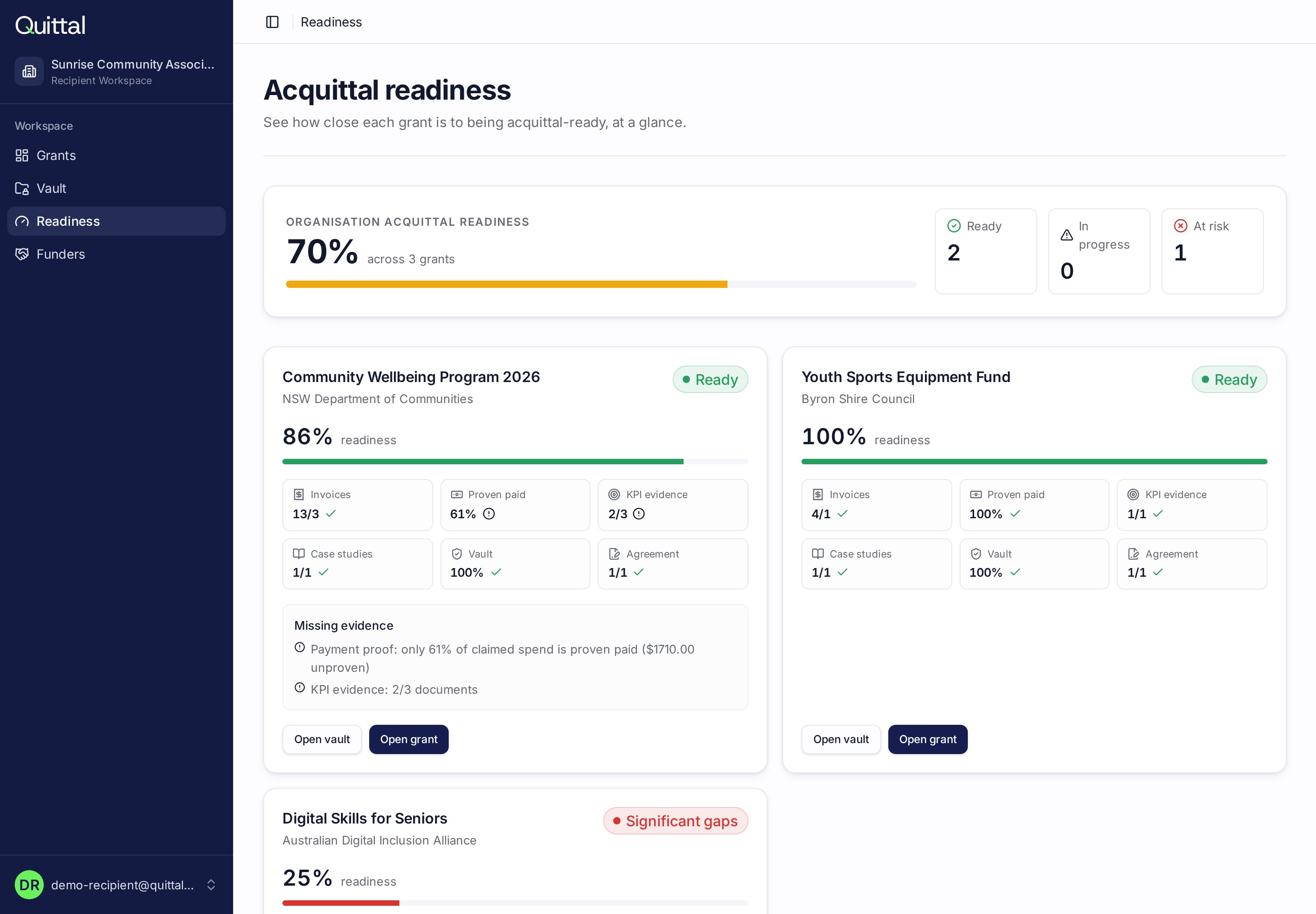
Know you're audit-ready before the deadline
A single readiness score per grant, weighted by value rather than document count, so a large unproven line can't be hidden behind a handful of small receipts.
Scored on proven value, not file counts
Gaps listed with the fix next to them
Organisation-wide view across every grant
Reporting
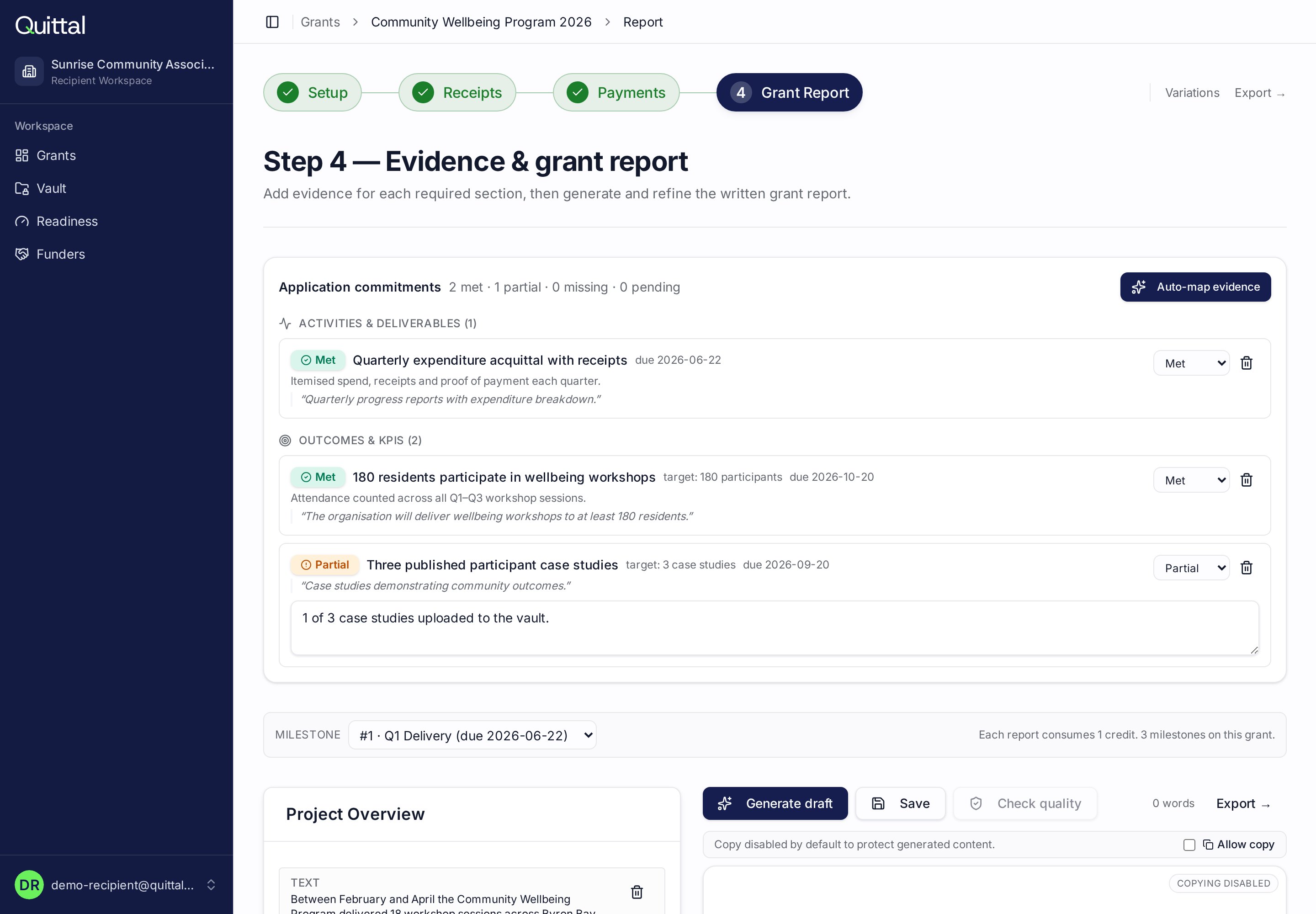
A written report drafted from your evidence
Commitments from the funding agreement are tracked as met, partial or missing. The draft report is generated from the evidence you have already collected, then edited in place and exported in your funder's format.
Commitments mapped to evidence automatically
Section-by-section regeneration and quality checks
Export to PDF or Word with an evidence appendix
For funders
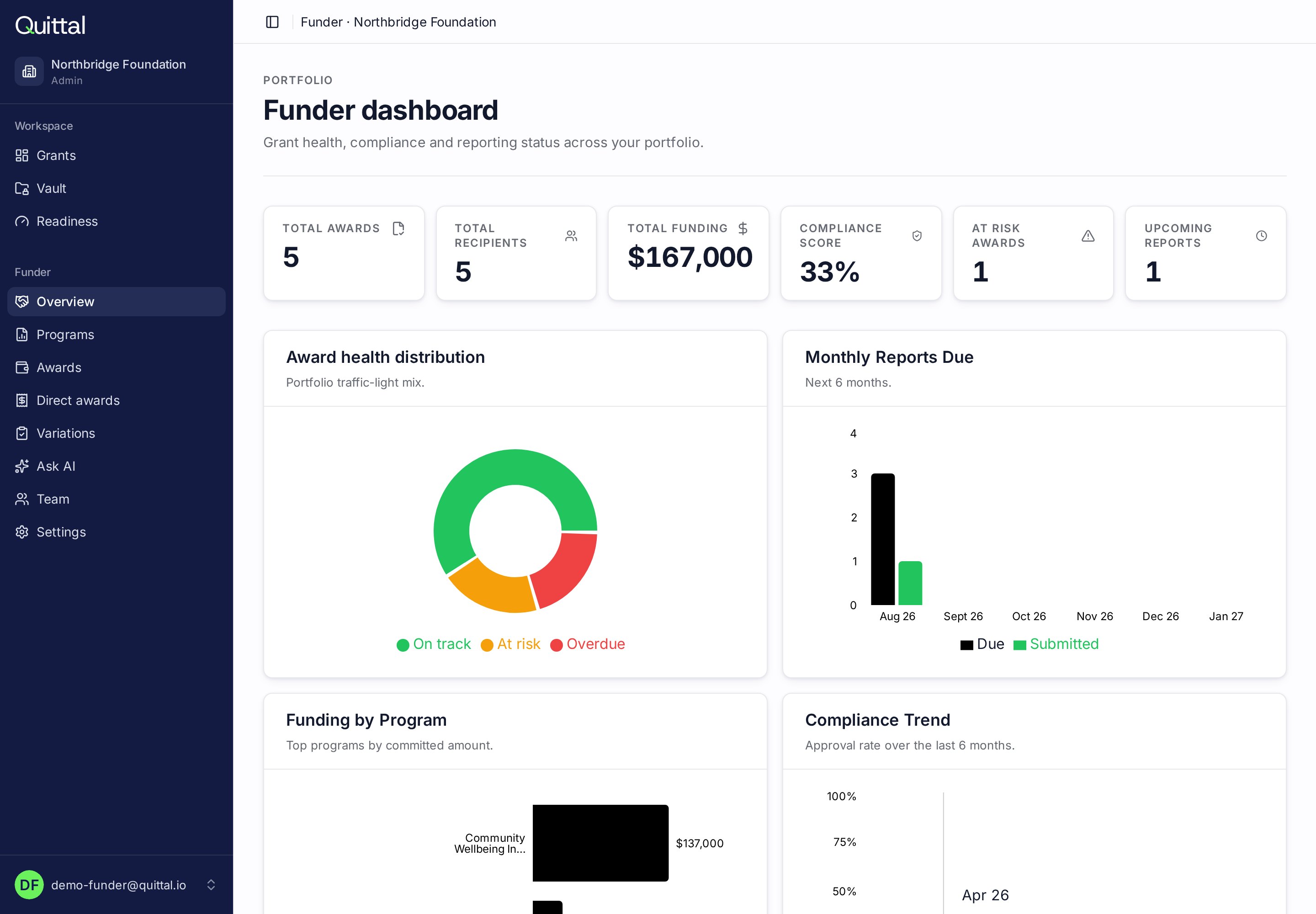
Portfolio compliance at a glance
Funders see every recipient, milestone and outstanding acquittal in one workspace — with missing evidence and overdue reports surfaced automatically.
Invite recipient organisations in seconds
Track milestones and reporting across the portfolio
Review and approve acquittals with a full audit trail
Trust
Enterprise-grade security by default
Built for the compliance bar funders expect — without the friction recipients dread.
Secure storage
Encrypted document vault.
Permission-based access
Roles scoped per organisation.
Full audit history
Every action logged.
Encrypted data
At rest and in transit.
Australian hosted
Sovereign data residency.
FAQ
Common questions
Do I need my funder to use Quittal?
No. Recipients can run Quittal entirely on their own — there is nothing for your funder to set up, approve or sign. You add your own grant, upload your application and funding agreement, and Quittal reads them to build your budget categories, milestones, commitments and reporting requirements. Your funder is simply recorded as a name. If you have a past report or a blank template from them, upload it and your acquittal will be generated in that format. When a funder does use Quittal, the two sides connect automatically — but that is an upgrade, never a prerequisite.
Who is Quittal for?
Quittal is a shared workspace for grant funders and grant recipients. Funders use it to launch programs, invite recipients, monitor compliance and approve acquittals. Recipients use it to store evidence, reconcile budgets and generate audit-ready acquittals in their funder's exact format.
What is a grant acquittal?
A grant acquittal is the formal report submitted at the end of a grant period showing how the money was spent and what outcomes were achieved. It usually includes a financial reconciliation, a written narrative and supporting evidence such as tax invoices, receipts and payment proofs.
How does the funder side work?
Funders create grant programs, invite recipient organisations, set reporting schedules and monitor compliance across a portfolio dashboard. Missing evidence and overdue reports surface automatically, and acquittals can be approved with one click.
How does the recipient side work?
Recipients set up their own grant in minutes — upload the application and funding agreement, and Quittal extracts the budget, milestones and every commitment made. Invoices and receipts go into a secure vault where vendor, GST and totals are read automatically, spend is reconciled against budget in real time, and the final acquittal is generated in the required format. If a funder has invited you, their grant details are already filled in.
Do funders and recipients share the same account?
No — each side has its own permission-scoped workspace with role-based access. Funders see their portfolio; recipients see only their own grant. Approved evidence and acquittals flow between the two through the platform.
Is my data secure?
Every document is stored with encrypted at-rest storage, permission-based access, and a full audit history. Data is hosted in Australia. Only invited members of an organisation can access its records.
Your next acquittal doesn't have to be a scramble.
Recipients start free in minutes. Funders run whole portfolios from the same workspace.